Why You Should Start Offering Live Color Grading Sessions, Even Remotely
PT|EN
Welcome, everyone. Before I say anything else, I would like to make it clear that I will not use artificial intelligence to write for me on this blog. It will only be used as a support tool, mainly for proofreading, minor clarity adjustments to what I have written myself, and to help me translate my writing into other languages. Everything will be reviewed by me before publication.
I should also mention that I may occasionally go off topic (I don’t think I have ADHD), but I have this habit of wanting to explore every caveat and different situation. Even then, many examples will probably be left out simply because I won’t remember all of them.
For some time, I had been thinking about finding a way to put my ideas out there, share opinions, and also hear other people’s opinions on different subjects. So I felt inspired to create this blog as a place to exchange ideas and share information.
Hello, my name is Luiz Brocco. I work as a colorist and, as you saw in the title of this article, I am going to discuss a subject that is extremely neglected by many aspiring colorists who are trying to enter the professional market. Many of them spend months studying tools, color science, and look development (something that is extremely misunderstood even by “colorists” already working in the industry), yet they continue offering clients exactly the same workflow as a generic freelancer: send me the files, wait a few days, and receive a version for review.
The subject is: why you should start offering live color grading sessions with your clients, even remotely.
It is something that is barely even a subject of discussion in professional environments, yet at the same time it is often neglected by beginners.
Why professionals work together in the room
The tradition of the color suite exists for a reason. Grading is a creative and collaborative stage of the process. The director, DP, and colorist are able to react to the image together. This is extremely important when bringing the director’s and DP’s vision to life.
I have heard many stories about color suites in which one particular person made most of the decisions, sometimes the director, sometimes the DP.
I think that when you start writing about a subject, you begin to realize just how obvious certain things are. One very clear example of why being together live in the same room matters, especially when the work is being taken seriously by its creators (many projects are not), is the precision of the changes directors and DPs may request.
Imagine rendering and sending a project for review four times because the director keeps asking for small changes, such as a 4% exposure adjustment. It becomes extremely tiring for both sides.
Again, I am talking about projects that are not at the Hollywood level. On extremely professional sets, it is unlikely that there will be major exposure changes in post-production, because much of that work has already been done on set.
There is, in fact, a story I have heard several times from Walter Volpatto. I heard it again yesterday (September 12, 2026), during an AMA (Ask Me Anything) in the Colorist Inc. community, founded by another person I greatly admire, Cullen Kelly. It will not be unusual for me to mention Walter on this blog, as he is my greatest inspiration as a colorist.
On several occasions, Walter has told a story about a session with Steven Yedlin for Star Wars: Episode VIII: The Last Jedi. Yedlin will probably also be mentioned many times here, as he is another major inspiration of mine.
According to Walter, during the session, Yedlin requested only 1/4 of a red printer point down and then said something along the lines of, “We’re done with this scene.” (My memory is a little vague, but I am almost certain he was referring to the entire scene rather than a single shot. I mention this simply to make that clear.)
It is also worth mentioning the excellence of Yedlin’s preparation of the photography. Everything was happening under his famous LUT. I had the privilege of learning more about it when Yedlin presented it and explained some of the mathematics behind it during an exclusive masterclass for Genesis users.
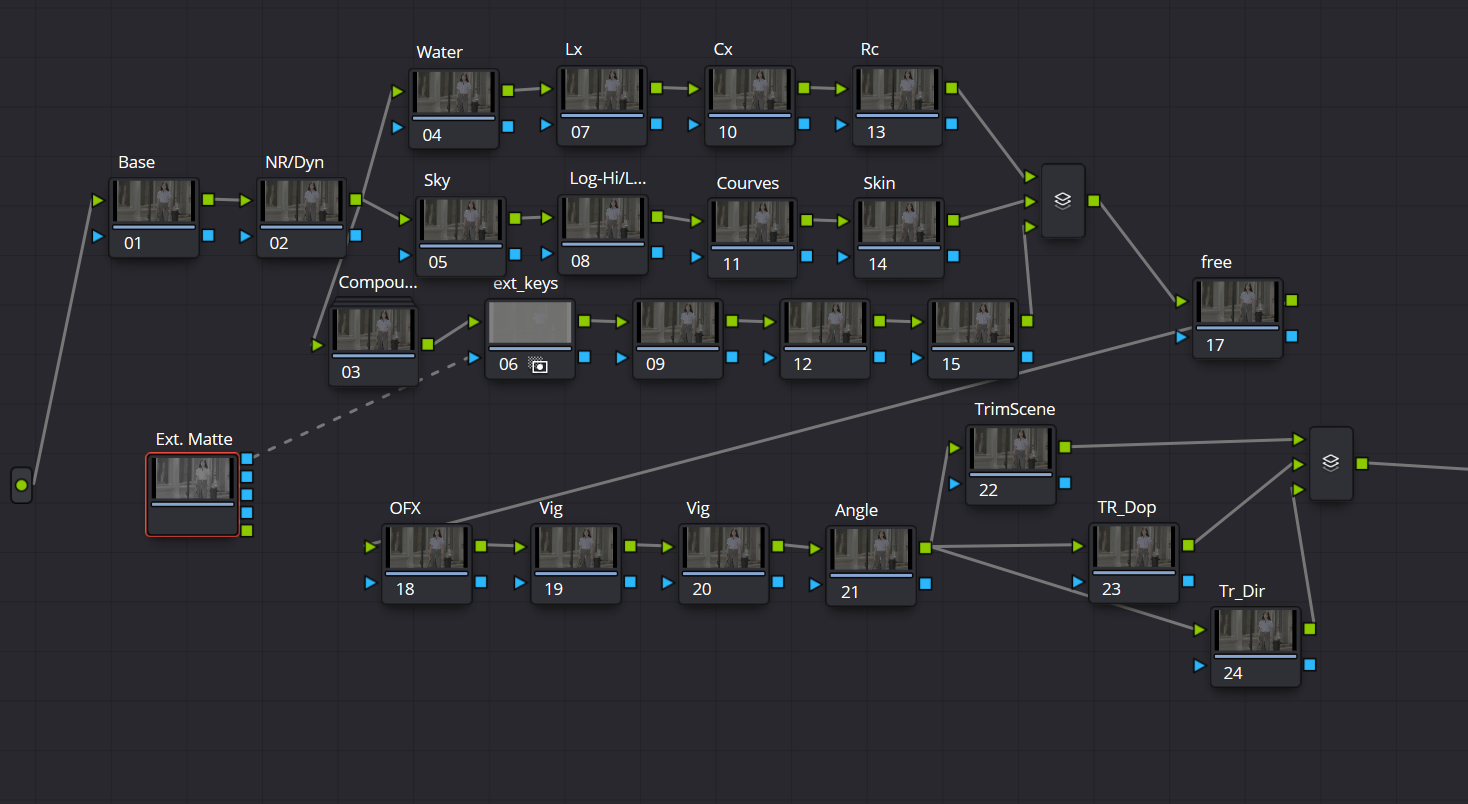
Below, I’ve included an image I took from my Resolve showing Walter Volpatto’s node tree exactly as he used it a few years ago, as shared on Lowepost. That structure has gone through several changes since then. As I mentioned earlier, even yesterday it was already quite different from the version shown here.
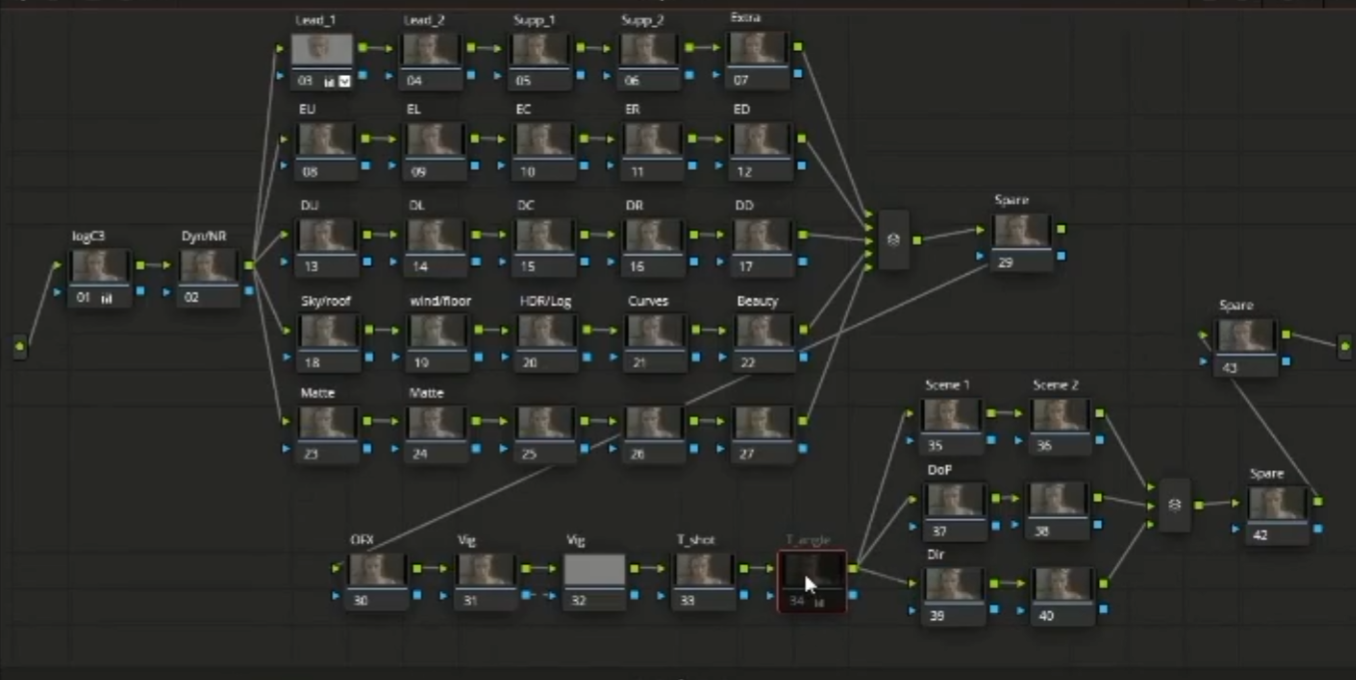
In my current node tree, I have added around 40 nodes to adapt it to the reality of my own work, keeping everything I may need readily available while maintaining discipline and organization.
Notice the Trim Scene, TR_DOP, and TR_DIR nodes. These are where the changes requested by the director and DP are made. Walter’s current tree is larger and has more nodes dedicated to this function, something I have also implemented in mine.
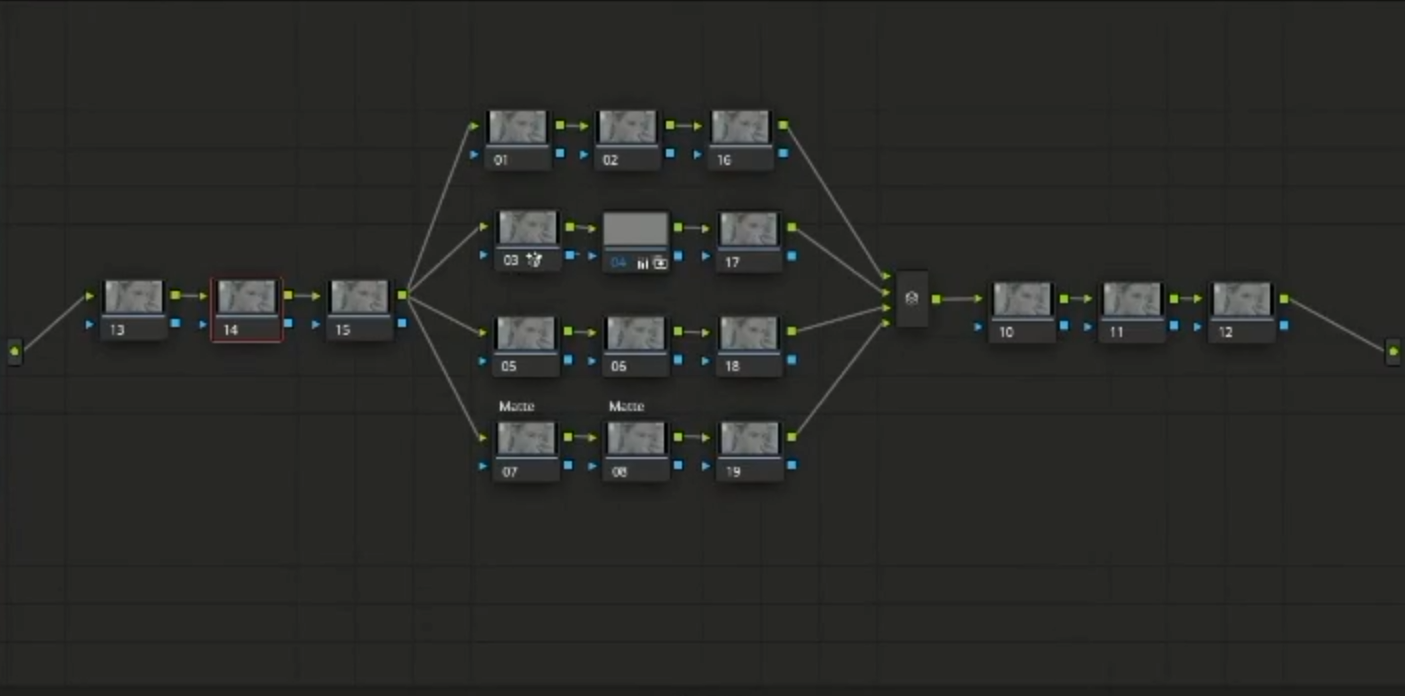
Below, I’ve included Walter’s old node tree alongside the current version. The new one also includes an additional layer with several more nodes.
Directors and DPs may ask, for example, for a different color temperature, deeper blacks, or other specific adjustments, and they often want to see those changes separately. Because of that, it does not always make sense to place every requested adjustment inside the same node.
Live grading does not mean the client controls your work
At an extremely professional level, many processes take place before the color grading stage. At large post houses, this can involve everything from receiving the material, whether online or in person, to security systems, virus checks, storage, media management, conforming, and other stages before the material actually reaches the color grading session.
The colorist’s job is to arrive at the session with a solid base already prepared. Having the client present does not mean that they sit next to the colorist and start deciding which tools should be used or how every adjustment should be made. There is a whole body of work that happens beforehand so that the session itself can focus on creative decisions.
I cannot say exactly how every major post house operates today, as I have forgotten many of the details I have heard over time. But to give an example that I know better, Jake White, whom I also had the opportunity to join for an AMA at Colorist Inc., explained that Company 3 has a long history and library of LUTs, as well as a dedicated image science team.
When developing a show LUT, they often do not start from scratch. They may begin with a base LUT they already know and like, then adapt it to the needs of that specific project. According to him, many of those bases even come from older print LUTs, of which they have different versions. The image science team then checks the LUT and identifies possible adjustments according to the needs and specifications of the job.
So this does not necessarily mean creating a completely new LUT from zero for every film. Often, it means starting with an established base and developing it for that particular project. The visual character provided by that LUT, combined with the photography itself, already creates a very strong starting point for the session.
To give an example from my own work, on the feature film Death Cries Alone, I received the project’s lookbook before the sessions. It was inspired by the Pusher films, particularly in terms of the analog feel, texture, and 16mm grain.
Using those references, I developed the look with the Genesis plugin, so by the time we reached the sessions we were already quite close to what was expected. The look actually ended up changing from the initial reference, something I will talk about later. During the sessions, we worked on exposure, balance, and secondary adjustments.
It is faster than going through endless revisions
On one project I worked on, we had a problem with underexposure in some interior footage. I knew how far the image could be pushed and placed it exactly where I considered appropriate. Even after explaining the situation, however, the requests for changes did not stop.
There were several revisions, more than six (which I should not have allowed), and practically all of them were related to exposure. The request was always the same: more exposure.
I eventually reached the point where I had to use that horrible Resolve tool called AI Noise Reduction quite aggressively to remove the noise. You know something has gone wrong when you have to go that far.
To stop both sides from suffering through so many revisions, I asked that we do a remote live grading session. Until that point, it had not seemed like a project that would necessarily require a live session.
But it was only when they saw the footage live, while we were making the adjustments, that they understood that the requested exposure had already gone completely beyond what the material they had sent me could realistically handle.
After that, we were able to reach a result and the project was approved. This is just one example of how a conversation and a few adjustments made live can solve something that would otherwise turn into countless rounds of revisions.
If you are a director and you want the project to look exactly the way you want it to, within, of course, the reasonable limits of what a colorist can actually do, be willing to set aside time for live color grading sessions.
Or perhaps we could give this role another name. I will go with Walter Volpatto’s term: “Glorified Digital Gaffer.”
And obviously, use a properly calibrated display.
The color grading session as an experience
Before talking specifically about remote sessions, I think it is important to look at how this type of work happens at major post houses.
At that level, a supervised session does not simply mean that the director or DP shows up and sits in the room while the colorist works. There is an entire structure organized around that period of time.
The session is scheduled in advance, the project and color suite are prepared before the clients arrive, and assistants and production teams are there to support the work.
There is also a great deal of attention given to the experience of the people who may be sitting there for several hours. At Company 3, for example, the Client Services team is responsible for preparing coffee, serving drinks, arranging meals, and keeping snacks and other things available during sessions.
At other major facilities, there are even rooms designed to feel closer to a living room, as well as lounges and dedicated client areas.
These sessions also do not necessarily follow one universal schedule. Depending on the project, they may last several hours or even an entire day, and the routine at large post houses can extend into nights, overtime, and weekends when production demands it.
I find this interesting because it shows that, at the top end of the industry, color grading is not treated simply as a file that someone sends to a colorist and receives back a few days later. There is an entire collaborative experience built around the session.
I already had the impression that these environments worked this way based on everything I had heard over the years, but I did some research before writing this section to make sure I was not talking nonsense.
You do not need to be in the same room
After that brief introduction to how this works at an extremely professional level, we can bring the same logic into the reality of colorists who work remotely.
During a remote session, the colorist continues grading normally on their own system. What changes is how the image is transmitted and how the director, DP, or client follows the work in real time.
There are several solutions available for this. I currently use DaVinci Remote Monitor, mainly because of its practicality and accessibility. In professional environments, there are also solutions such as Sohonet ClearView, Streambox, and Evercast, among others.
And working this way is not limited to freelancers or small productions. Major colorists also conduct remote sessions.
Tim Vincent, Lynette Duensing, and Lorne Wright, for example, have all worked this way. Loren White has said that around 95% of his sessions were remote, and Walter Volpatto himself graded The Old Guard remotely.
So when I talk about remote live grading, I am not suggesting an improvised solution for people who cannot get the client into the room. It is a completely legitimate way of working and one that also exists at the highest levels of the industry.
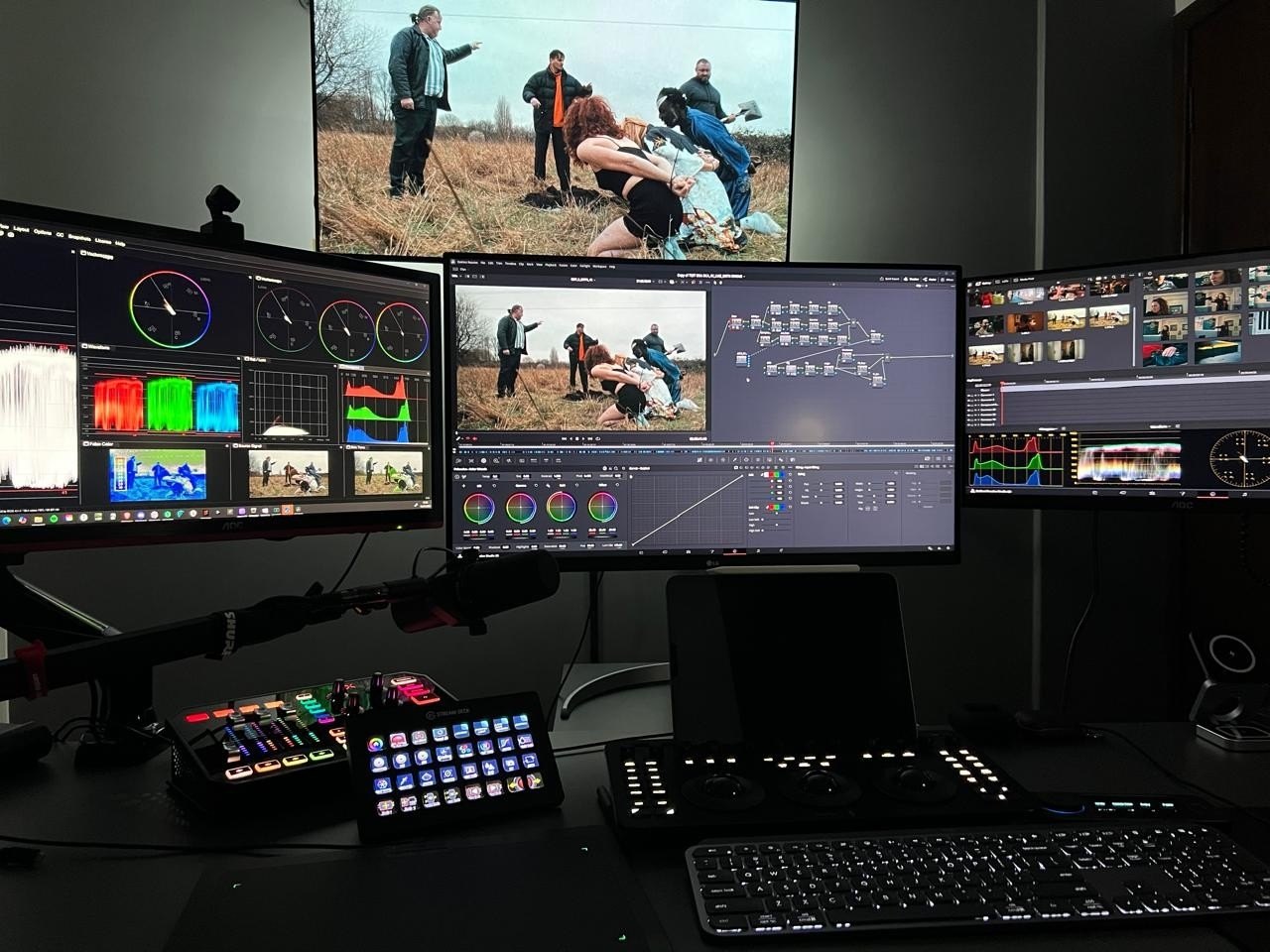
In my own case, I could actually receive people in my office for in-person sessions. Obviously, I do not have a huge Los Angeles color suite, but I do have a calibrated TV, air conditioning, space for a client, and even somewhere to put a few snacks.
It is just unlikely to happen very often. I am not located in a major film production center, and a large portion of my clients are in other countries.
For that reason, remote sessions are not simply an inferior alternative to in-person sessions for me. They are precisely what makes this type of collaboration possible with people who may be on the other side of the world.
At the moment, I use DaVinci Remote Monitor because it is very practical, but I am considering moving to another solution that better suits my needs.
One thing that particularly bothers me is not having enough tools for the client to visually indicate specific things in the image.
I have already had a situation, for example, where a client wanted a Power Window in a very specific area of the frame. He knew where he wanted it, and I understood what he was trying to achieve, but he simply could not show me the exact location.
Then the conversation starts:
“A little more to the left.”
“Like this?”
“No, a little higher.”
“Here?”
“More to the right.”
It is somewhat annoying and completely unnecessary.
It would be much easier if the client could simply draw on the screen or point to a specific area and say: “here.”
That is exactly the type of feature I am looking for as I consider moving to another software solution. Some professional remote collaboration platforms allow annotations and drawings directly over the image, eliminating this kind of problem.
In the end, the most important part of this entire structure is this: setting aside a period of time in which the colorist, director, and DP can look at the same image and make decisions together, in real time.
One very important note
If you are a client and you intend to take part in this type of session, please make sure you have a properly calibrated monitor or device.
It makes a huge difference.
In my own tests, Apple devices have worked very well for this type of monitoring, particularly iPads.
Conclusion
I am not saying that live grading should be used on every project. There are some projects where I genuinely do not think it is necessary, although in my opinion they are the minority. Obviously, it is possible to complete the entire job without a live session, but I believe that in many cases it will be more difficult to arrive at exactly the result the client wants.
If you do not currently offer this type of session, I hope this article has at least introduced you to the possibility and given you something to think about.
I have not discussed the business side of this or exactly how you should implement this workflow. That depends greatly on the reality of each colorist, and I think everyone should do their own research. My goal here was simply to present the reasons why I consider this type of collaboration so important.
To me, the arguments are quite solid: fewer revisions, greater control over the final result, less stress for both sides, and, most importantly, the opportunity to meet and work directly with the people responsible for the project.
And, as I said at the beginning, one of the purposes of this blog is also to exchange opinions. So if you are a colorist, director, or DP and you have had a different experience, agree, disagree, or simply work in another way, I would genuinely like to hear your thoughts and learn how this process works for you.